
OneStop Mobile
OneStop Mobile v2 – Faster, Smarter, Everywhere
Quick Summary
Trading mobility redefined—OneStop Mobile v2 is live! Built on a modern Flutter platform, the app is significantly more responsive, delivering quicker load times and a smoother user experience. Beyond core trading workflows users are familiar with, v2 adds improved user experience throughout and new components such as on-the-go Expo, dashboards, and insights, plus quick due diligence checks and approvals—keeping trading connected anytime, anywhere. With enhanced security, intuitive design, and seamless integration across ST&S utilities, OneStop Mobile v2 empowers the entire trading business to act faster and smarter—where mobility matters most 📲
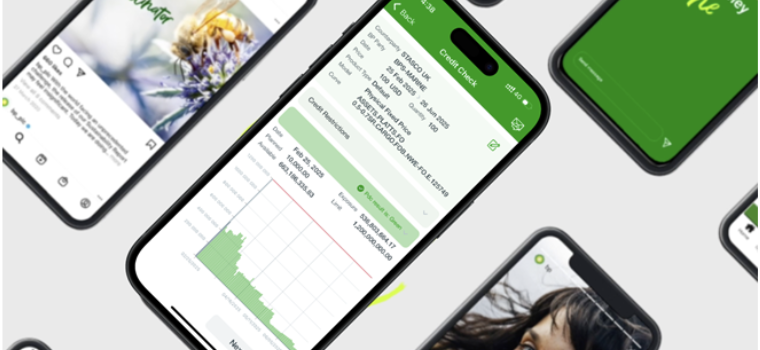
OneStop Mobile App
Installation Instructions
New OneStop users — follow these steps to install the app on corporate mobile devices.
- If you don't already have the Intune Company Portal (Comp Portal app), follow the instructions in bp's Mobile Device Management article: myIT → Article details.
- Open the Intune Company Portal (Comp Portal app) and install OneStop.
- Inside OneStop, tap the Vessel Check icon or the CDD icon to start using the modules.
Demo
Watch the demo to learn how to use Vessel Check and CDD modules.
What is the OneStop Mobile App?
The OneStop mobile app is designed specifically for ST&S. It is a platform that integrates various tools and functionalities to streamline processes and enhance efficiency. The app includes features such as CDD & vessel checks, workflows that integrate with the OTP, ST&S utilities, and more, all accessible on the go. This allows ST&S teams to perform essential tasks and access critical information from anywhere, improving decision-making and operational flexibility
Contacts & Feedback
If you have feedback or request changes, please email:
For security and corporate distribution, ensure you use the Intune Company Portal (Comp Portal) to install OneStop.